
By Chona · Published August 23, 2026
Most small business owners are doing the same five tasks by hand every single day — copying form submissions into a spreadsheet, emailing appointment reminders, posting the same update to three platforms. They hate it. They just don’t know anyone who can fix it.
That’s your opening. You don’t need to be a developer. You need to know how to connect two apps together and explain the time it saves in plain English. This playbook shows you exactly how to do that and charge $300–$500 a month to keep it running.
This is a complete step-by-step guide — the tools, the prompts, the pricing, the outreach message, and the honest 90-day picture. Read it once, then start Step 1 today.
Before You Start: A 5-Point Readiness Check
You do not need any of the following: coding skills, a business license (to start), an expensive tech stack, or prior clients. You do need these five things before you pitch anyone:
- A free Zapier or Make account (both have genuinely free tiers — more on this below)
- A free ChatGPT account for drafting text outputs inside your automations
- One working demo automation you built yourself (Step 2 covers this)
- A simple one-page Google Doc or Notion page describing what you offer
- 30 minutes to send cold outreach — the exact message is in Step 5
That’s the whole setup. Total tool cost to start: $0.
Step 1: Find the One Task Your Client Hates Most
The fastest way to sell an automation is to name a specific pain, not a category of pain. “I automate business workflows” lands nowhere. “I can stop you from manually entering every new Typeform lead into your Google Sheet” lands a call.
Here are the highest-value manual tasks that small businesses repeat daily and that are genuinely easy to automate:
| Business Type | Manual Task They Hate | Easy Automation | Retainer Sweet Spot |
|---|---|---|---|
| Chiropractor / Med Spa | Sending appointment reminders by hand | Auto-SMS/email when new booking hits calendar | $300–$400/mo |
| Property Manager | Logging maintenance requests from email into a tracker | Email → Google Sheet row + Slack alert | $400–$500/mo |
| HVAC / Plumber | Copying website form leads into a CRM by hand | Website form → CRM + owner text alert | $300/mo |
| Real Estate Agent | Following up with new leads manually | New lead → AI-written follow-up email sent automatically | $400–$500/mo |
| Ecommerce Shop | Writing product descriptions for new SKUs | New product added → ChatGPT drafts description → saved to doc | $350–$450/mo |
Pick one row. That’s your first service. You are not building a platform — you are solving one headache for one business and charging monthly to keep it running.
If you want to see how real estate agents specifically use AI tools day-to-day, our guide to AI tools for real estate agents gives you useful context for pitching that niche.
Step 2: Pick Your Tool Stack and Build One Demo
You need two tools: one to connect apps (the automation engine) and one to generate any text inside the workflow (ChatGPT). Here is the honest breakdown of what each engine costs and where the free plan runs out.
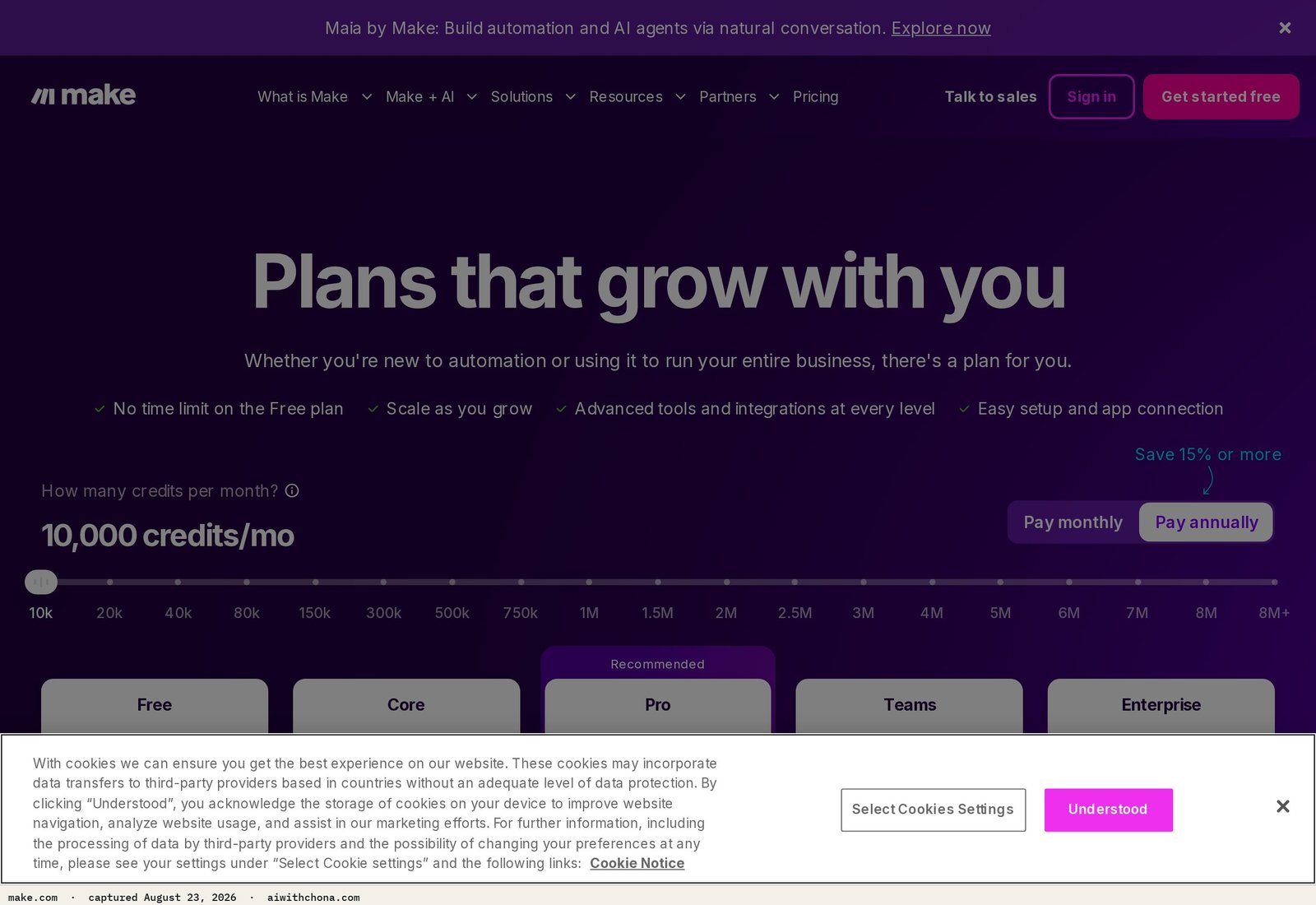
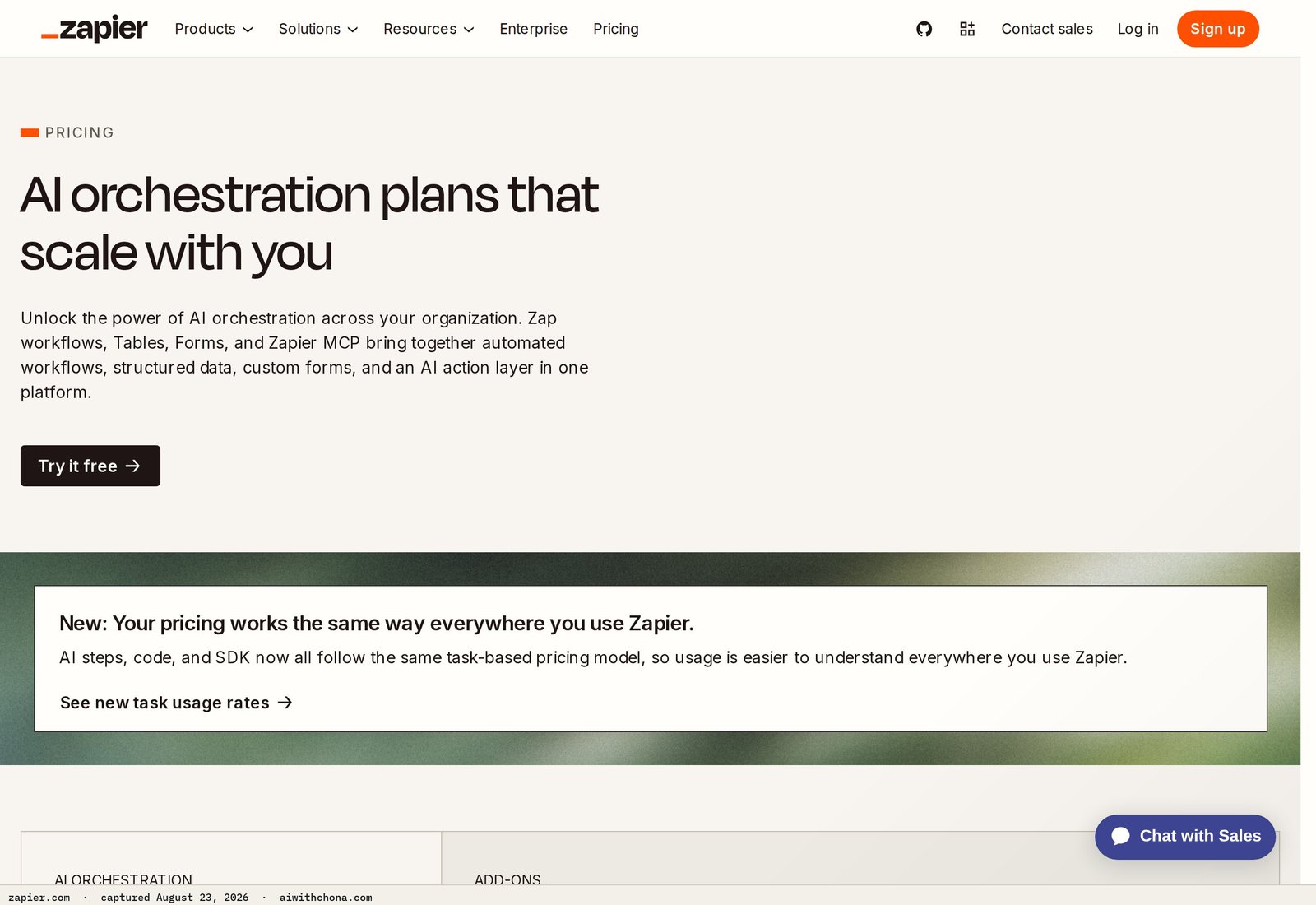
| Tool | Free Plan | First Paid Tier | Best For |
|---|---|---|---|
| Zapier | 100 tasks/mo, 5 Zaps, 2-step automations only | Starter: $19.99/mo (750 tasks, multi-step) | Beginners — largest app library, simplest UI |
| Make (formerly Integromat) | 1,000 operations/mo, unlimited scenarios | Core: $9/mo (10,000 operations) | More complex flows; free plan is more generous |
| ChatGPT (free tier) | GPT-4o access with daily usage limits | Plus: $20/mo (higher limits, no slowdowns) | Writing AI-generated text outputs inside Zaps |
| Notion (free) | Unlimited personal pages, basic collaboration | Plus: $10/mo per member | Tracking client workflows and deliverables |
My honest recommendation for beginners: Start with Zapier’s free plan and ChatGPT’s free tier. For your first one or two clients, 100 tasks/month per client is usually enough for simple lead-capture or reminder automations. Once a client’s workflow exceeds that, upgrade to Zapier Starter at $19.99/mo and fold it into your retainer pricing.
If you want a deeper look at whether ChatGPT’s free tier covers your needs before spending anything, our article on whether ChatGPT free is enough in 2026 breaks it down honestly.
Build your demo before you pitch anyone. Pick the HVAC lead-capture flow from the table above. Open Zapier, create a free account, and build this three-step Zap:
- Trigger: New submission on a Google Form (pretend it’s the HVAC website contact form)
- Action: Add a row to a Google Sheet with the lead’s name, email, and request
- Action: Send yourself a Gmail notification with the lead details
Takes about 20 minutes. Now you have something you can show. A live demo running in front of a client is worth ten times any slide deck.
Step 3: Use ChatGPT to Write the Automation’s Text Outputs
The part that makes your automation worth paying for — beyond just moving data — is the AI-generated text that goes out to customers. This is where ChatGPT earns its place in your stack.
Here is the exact prompt to use inside Zapier’s built-in ChatGPT action (or you can draft these manually with ChatGPT and paste them as templates):
You are a friendly assistant for [Business Name], a local [business type] in [City, State].

A new customer just submitted an inquiry. Here are their details:
- Name: [First Name]
- Service requested: [Service Field from form]
- Preferred contact: [Phone or Email]

Write a short, warm follow-up email (under 100 words) confirming we received their request,
telling them someone will call within 2 business hours, and signing off from [Owner Name].
Do not use exclamation points more than once. Sound human, not corporate.
Swap the bracketed fields with Zapier’s dynamic data from the form trigger. The result is a personalized follow-up email sent automatically within seconds of the form submission — no human touch required.
That is the value you’re selling: their leads get a real-sounding response at 11pm on a Saturday when the owner is asleep.
How to Price an AI Automation Monthly Retainer
Charge a one-time setup fee plus a monthly retainer. Never charge hourly — hourly punishes you for getting faster, and it gives clients a reason to cancel the moment they feel like the work is “done.”
Beginner pricing structure:
- Setup fee: $150 (small market) to $300 (major metro or more complex flow). This is what you charge to build and test the automation.
- Monthly retainer: $300/mo for one simple automation; $400–$500/mo for two to three connected workflows or anything that includes AI-generated text outputs.
Decision rule you can apply immediately: Charge $300/mo if the automation moves data between two apps (form → spreadsheet, email → CRM). Charge $400–$500/mo if the automation also generates AI-written text (follow-up emails, SMS replies, social captions) or connects three or more apps.
What the math looks like at three clients:
- 3 clients × $400/mo = $1,200/mo gross
- Zapier Starter (to handle client volume): $19.99/mo
- ChatGPT Plus (optional, if free tier isn’t enough): $20/mo
- Net: ~$1,160/mo for work that runs largely on its own after setup
At five clients and $400/mo each, you’re at $1,980/mo net after tools. That’s the realistic ceiling for a part-time solo operator — beyond that, you need to systematize your onboarding or bring in help.
- Predictable monthly income — not one-off projects
- Automations run themselves; your time per client drops each month
- Clients rarely cancel once the workflow is embedded in their business
- Low tool cost — under $40/mo to serve 3–5 clients
- Setup takes 3–6 hours per client the first time
- Zapier’s free plan hits limits fast with active clients
- When a connected app changes its API, your Zap can break — you have to fix it
- First client takes longer to land than people expect (30+ outreach messages)
Step 4: Package and Name Your Service
Don’t call it “AI automation.” That phrase means nothing to a chiropractor. Name it by the problem it fixes.
Examples of names that actually land:
- “Auto Lead Follow-Up” — for anyone taking website inquiries
- “Never-Miss-a-Lead System” — for HVAC, plumbers, service businesses
- “Hands-Free Appointment Reminder” — for med spas, dentists, coaches
Keep your service page (even if it’s just a Google Doc) to three sections: the problem in their words, what you do about it, and what it costs. No jargon, no “AI-powered workflow solutions.”
Step 5: How to Get Your First AI Automation Client
The fastest channel for your first client is direct outreach to local service businesses — not cold LinkedIn, not posting on Instagram hoping someone finds you. Pick a niche (HVAC shops, chiropractors, property managers), find 30 businesses in your area on Google Maps, and send this message:
Subject: Quick question about your new leads

Hi [Owner Name],

I noticed [Business Name] gets reviews mentioning fast response times — that's rare,
and it usually means you're doing the follow-up manually.

I set up a simple system that automatically emails or texts new leads within 60 seconds
of them filling out your contact form — even at 11pm. Most business owners save
2–3 hours a week and stop losing leads to competitors who respond faster.

I built a quick demo using a form like yours. Happy to show you how it works on a
10-minute call — no pitch, just the demo. Would [Day] or [Day] work?

[Your Name]
[Your Phone or Website]
Send this via email (scraped from their Google Business Profile or website), Facebook Messenger (many small business owners check this more than email), or as a LinkedIn message if they’re there.
The realistic outcome: if you send 30 of these in one week, expect 3–6 replies and 1–2 calls. If you land one client from 30 messages, that’s a 3% conversion rate on cold outreach — normal, not a failure. The ones who land two clients in the first 90 days sent at least 30 messages; the ones who land zero sent fewer than ten.
For a broader look at landing your first paying AI client, the freelance AI client playbook covers outreach channels in more depth.
Step 6: Deliver, Document, and Lock In the Retainer
Once someone says yes, here is what “done” looks like for your first client:
- Kick-off call (30 min): Confirm which task you’re automating. Get access to their form tool, email, and whatever app they want data to land in. Document it in a shared Google Doc.
- Build (2–4 hours): Set up the Zap or Make scenario. Test it with five fake submissions. Show the client the results live.
- Handoff: Send a one-paragraph summary of what runs automatically and what you monitor monthly. This is your proof of value.
- Monthly check-in (15 min): Each month, confirm the automation is running, fix any broken steps, and ask if they have a second task they’d like automated. This is how you upsell from $300 to $500/mo.
Use a simple invoice tool like Wave (free) or PayPal to set up recurring monthly billing. Auto-billing is what makes this a retainer, not a one-off project — set it up on day one.
What Goes Wrong (And the Fix)
Failure point 1: The Zap breaks when an app updates. Zapier’s connections occasionally stop working when a connected app changes its structure. Fix: Set up a free email alert in Zapier that notifies you if a Zap has an error. Check it weekly. Most breaks are a one-click re-authentication.
Failure point 2: You pitch “AI automation” and get blank stares. The fix is in Step 4 — always name the problem, not the technology. “I stop you from losing leads overnight” beats “I offer AI workflow automation services” every time.
Failure point 3: The client cancels after month two because they don’t see it running. This is a visibility problem, not a value problem. Fix: Send a brief monthly “automation report” — a one-paragraph email that says how many times the Zap triggered that month and what it saved them. Three sentences, once a month. Clients who see the numbers stay.
Frequently Asked Questions
Do I need coding or technical skills to sell AI automation services?
No coding is required. Tools like Zapier and Make are built for non-technical users — you connect apps by choosing triggers and actions from dropdown menus, not by writing code. The learning curve for a basic two-step automation is under an hour for most beginners, and the free plans on both tools let you practice before charging anyone a dollar.
How much should I charge for an AI automation monthly retainer as a beginner?
A realistic beginner range is $300/mo for a single simple automation (two apps connected, no AI text output) and $400–$500/mo for more complex flows or anything that includes AI-generated emails or messages. Charge a one-time setup fee of $150–$300 on top of that. The setup fee covers your build time; the retainer covers monitoring, fixes, and your ongoing value.
What’s the best tool for building client automations as a beginner?
Zapier is the best starting point for most beginners because it has the largest library of app integrations (6,000+ apps as listed on Zapier’s own site) and the most beginner-friendly interface. Make is the better pick if your client’s workflow has more than four steps or if you want a more generous free plan (1,000 operations/month vs. Zapier’s 100 tasks/month). Start with Zapier, switch to Make once you’ve built a few flows.
How long does it take to build the first client automation?
Expect 3–6 hours for your very first client, including the kick-off call, build, testing, and handoff. By your third client, the same type of automation typically takes 1–2 hours because you’re reusing the same template. The monthly maintenance after setup is 15–30 minutes per client — which is why the retainer model works: you get paid the same amount for a fraction of the original time.
How long does it realistically take to land the first paying client?
Most beginners who follow through land their first client within 3–6 weeks of starting outreach. The key variable is volume: sending 30 personalized cold messages in the first two weeks gives you a realistic shot at 1–2 interested replies. Sending 5–10 messages and waiting for responses typically means no client in the first 90 days. The outreach email template in Step 5 is the one to use — personalized subject line, specific problem, and a low-friction ask (a 10-minute demo, not a sales call).
Trading Command Center is a Google Sheets portfolio dashboard plus a small, explicit Python bot on the Alpaca API — paper trading by default, every rule on one screen.
Your First Step This Week
Pick one task from the table in Step 1. Open a free Zapier account. Build the demo in the next two hours. Then send ten outreach emails using the script in Step 5 before Friday.
That’s it. You don’t need a website, a business card, or a perfect pitch. You need a working demo and a willingness to send the message. Everything else follows from there.
If you want a step-by-step foundation for your broader AI income strategy before diving into this, our guide to building a simple AI side hustle is the right place to start — it covers the mindset and early decisions that make services like this one actually stick.
Grab the free AI Quick-Start guide — the exact tools and first steps that actually work, no fluff. Straight to you.