
By Chona · Published September 15, 2026
Apple announced iOS 27 with a meaningfully smarter Siri at the center — one that can read what’s on your screen, take action across apps, and connect to third-party AI models including ChatGPT. That’s not a phone feature. For anyone running a service business from a laptop, it’s a mobile command center.
Here’s what actually matters: the new capabilities don’t replace the AI tools you’re already using. They make those tools available in the two hours a day you’re away from your desk — commuting, at a client’s location, picking up kids. That gap is where most freelancers drop the ball on follow-up, note-taking, and fast turnarounds. iOS 27 closes it.
This is the playbook for turning that into faster client work and — if you want — a new billable service.
What iOS 27 Actually Changed for Siri AI
The core shift is that Siri in iOS 27 moves from a command executor to a context-aware assistant. Apple’s Apple Intelligence platform — which underlies the new Siri — gives it three capabilities that matter for business use.
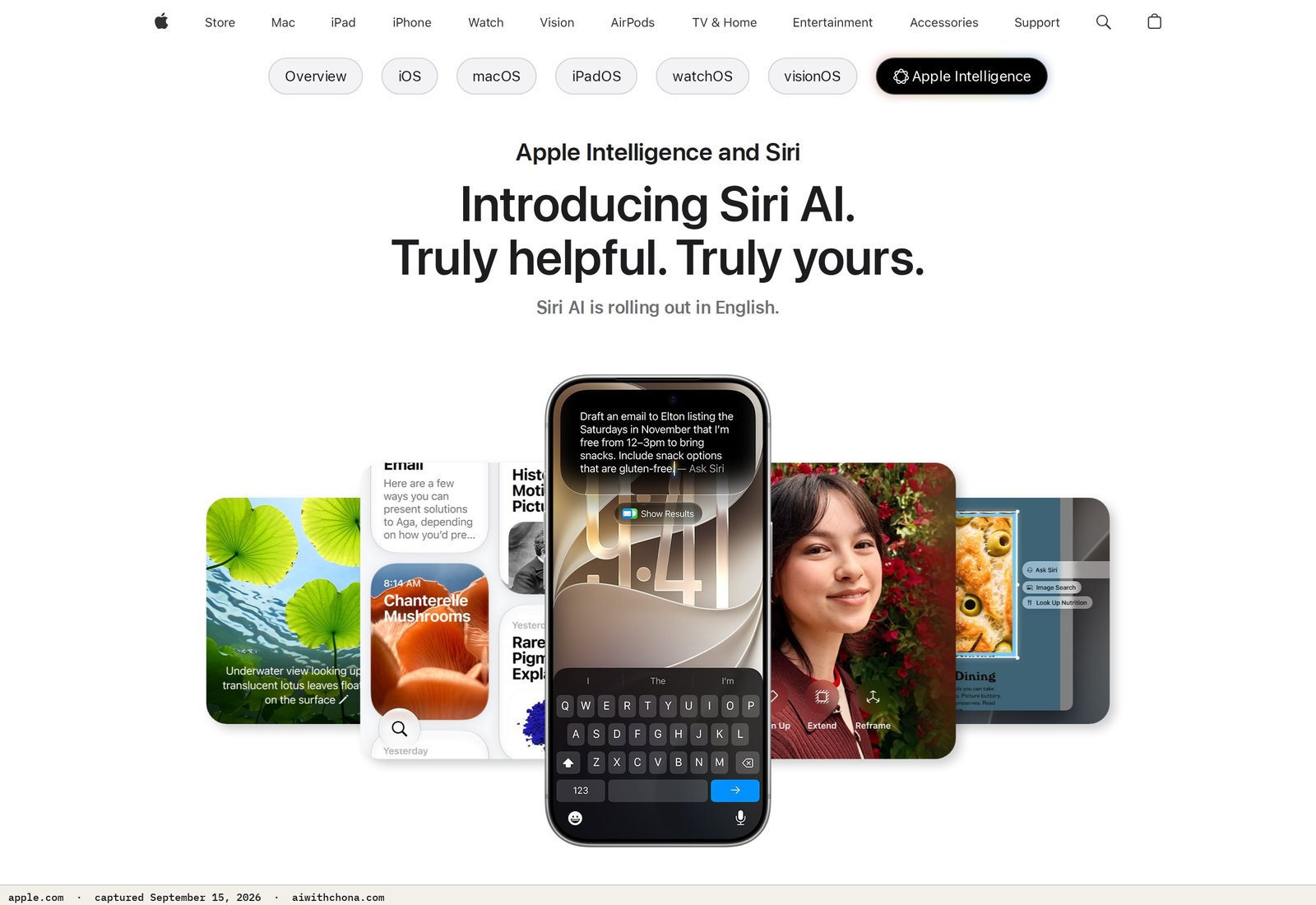
Screen awareness. Siri can now read what’s currently on your display and act on it. If a client email is open, you can say “reply and ask when they need the draft” — Siri reads the thread, drafts a contextual reply, and queues it. No copy-paste, no switching apps.
Cross-app actions. Siri can pull information from one app and push it to another in a single voice command. “Add the deadline from this email to my Reminders” now works as advertised, across Apple’s native apps and a growing list of third-party integrations.
ChatGPT hand-off. When your request needs deeper reasoning or content generation, Siri routes it to ChatGPT (with your permission, per request). You speak a prompt; Siri passes it; the result comes back in the same conversation. This is the piece that makes Siri genuinely useful for content freelancers — you get GPT-quality output without touching a keyboard.
Apple’s documentation confirms these features are part of Apple Intelligence, which requires an iPhone 15 Pro or any iPhone 16/17 model, running iOS 18 or later — with iOS 27 expanding the action set further. The ChatGPT integration is opt-in and free to use at Siri’s basic level; heavier ChatGPT use still pulls from your OpenAI plan.
Siri AI for Business: The 5 Workflows That Pay Off Immediately
These aren’t hypothetical. Each one maps to a real task freelancers handling 2–5 clients do every single week.
1. Voice-draft client emails in real time
Say: “Hey Siri, open Mail, draft a reply to [client name]’s last email. Tell them the first draft is ready, I’ll send it by Thursday noon, and ask if they have any brand notes I should add.”
Siri reads the thread, drafts the reply with your specifics, and shows it for review before sending. You edit with your voice or tap. The whole exchange takes under two minutes from a parking lot.
The alternative — waiting until you’re back at a desk — creates the 4–6 hour reply lag that signals to clients you’re hard to reach. For service businesses where trust is the product, this matters more than most freelancers realize.
2. Capture client notes without stopping the conversation
Mid-call or right after a client walkthrough, say: “Hey Siri, note: salon owner Maria wants the homepage to emphasize walk-ins welcome, no appointment needed, and highlight the $35 blowout special. She needs a first draft by next Friday.”
That goes into Notes or Reminders, tagged and searchable. Combine this with OpenAI’s Whisper (available through apps like Whisper Transcription on the App Store) for longer recorded calls, and you have a full note-capture system that never requires typing.
3. Route prompts to ChatGPT hands-free
This is the one that changes the math on mobile work. Say: “Hey Siri, ask ChatGPT to write three Instagram captions for a local pizza place. Casual tone, include an emoji, each one under 100 words.”
Siri passes the prompt, ChatGPT returns the output, and you copy it into your client’s content doc. If you’re already running a social media management service, this means you can batch-draft captions for three clients during a 20-minute commute instead of blocking out a two-hour desktop session.
4. Trigger Siri Shortcuts for your most-used service workflows
Siri Shortcuts let you chain multiple steps into one voice command. A freelancer writing product descriptions (a real billable service — here’s the full pricing breakdown) could build a Shortcut that: opens a new Notes doc, pastes a product description prompt template, and opens ChatGPT — all from one phrase like “Hey Siri, start product draft.”
Building that Shortcut takes about 15 minutes once. After that, it’s a two-second trigger every time you need it.
To build one: go to Settings → Shortcuts → New Shortcut, add actions in sequence, then assign a Siri phrase in the shortcut settings.
5. Manage your calendar and client pipeline by voice
Between client calls, say: “Hey Siri, schedule a 30-minute call with David next Tuesday at 2 PM, title it ‘Website Review,’ and set a reminder the morning before.” Done. No app-switching, no typing.
Pair this with a simple CRM like Notion‘s free plan (which Siri can open directly) and you have a lightweight client management system that runs from your pocket.
The New Service You Can Sell: Mobile AI Setup for Local Businesses
Here’s the angle most freelancers will miss: the business owners you’re already serving — the salon owner, the plumber, the real estate agent — have the same iPhone upgrade and zero idea how to use it for their work.
You can charge $150–$250 for a one-hour “Mobile AI Setup” session where you:
- Enable Apple Intelligence on their iPhone (Settings → Apple Intelligence & Siri)
- Set up ChatGPT as the Siri AI extension (same menu, toggle on, authorize once)
- Build 3 custom Siri Shortcuts for their most-repeated tasks (reply to inquiry emails, log a new lead, draft a follow-up text)
- Show them the five voice commands they’ll actually use daily
- Leave them a one-page cheat sheet with the exact phrases
That’s a real deliverable, a real hour of work, and a real reason for a local business owner to pay you — because Apple won’t walk them through it and neither will their nephew.
What to charge: $150 for the setup session alone in a smaller market; $200–$250 in a major metro or if you add a 30-day follow-up check-in. You can also bundle it as a $75 add-on to an existing service package — if you’re already managing their Google Business Profile, this is a natural upsell.
How to land the first client: Text or email three existing or past clients this week. Here’s the exact message:
Hi [Name],

Quick heads-up — the new iPhone update added some pretty powerful AI features to Siri that I've been setting up for a few clients. It's the kind of thing that can save you 20–30 minutes a day on emails and follow-ups once it's configured right.

I'm doing setup sessions for $[150/200] right now. Takes about an hour, and I'll leave you with a cheat sheet of the exact voice commands to use. Interested?

— [Your name]
Send that to three people. One reply is a realistic first outcome. Two is a great week.
Honest Limits: Where Siri AI Still Falls Short
- Voice-drafted emails with screen context
- Hands-free prompt routing to ChatGPT
- Cross-app note capture and calendar actions
- Custom Shortcuts for repeated service tasks
- Multi-step prompt chains with back-and-forth editing
- Image generation (Midjourney, DALL-E) — mobile apps exist but clunky
- Document formatting and long-form deliverables
- Anything requiring file uploads or spreadsheet work
Siri is the router, not the engine. For the fast, high-frequency tasks — replies, notes, quick content drafts — it now genuinely earns its place in a freelance workflow. For deep production work, you’re still at a desk. That’s an honest trade-off, not a dealbreaker.
iOS 27 AI Productivity: Feature Snapshot
| Feature | What It Does for Freelancers | Device Required | Cost |
|---|---|---|---|
| Screen-aware Siri | Read + act on open emails/docs by voice | iPhone 15 Pro or iPhone 16/17 | Free with iOS 27 |
| ChatGPT via Siri | Route prompts to GPT hands-free | Same as above | Free (basic); ChatGPT Plus $20/mo for heavier use |
| Siri Shortcuts | One-phrase trigger for multi-step workflows | Any iPhone running iOS 16+ | Free |
| Cross-app actions | Move data between apps by voice | iPhone 15 Pro or iPhone 16/17 | Free with iOS 27 |
| Whisper transcription (third-party) | Transcribe recorded client calls accurately | Any iPhone | Free app; some premium tiers vary by app |
What to Watch Next as Apple AI Keeps Evolving
Apple has publicly committed to expanding Apple Intelligence features through ongoing iOS updates — meaning the Siri capabilities available at iOS 27’s launch are a floor, not a ceiling. Third-party app integrations (beyond ChatGPT) are on Apple’s stated roadmap, which would let Siri act inside tools like Notion, Canva, and project management apps without a manual hand-off.
The practical implication: the Shortcuts and voice workflows you build now will get more powerful over the next 12–18 months as more apps open their Siri integration. Build the habit early and the upgrade is free.
For your service business specifically, watch for Siri gaining the ability to post to social platforms directly — that’s the feature that would make mobile-first social media management a fully viable standalone service, not just a supplement to desktop work.
Frequently Asked Questions
Does using Siri AI for business require a paid Apple subscription?
No paid Apple subscription is required. Apple Intelligence — the platform powering the enhanced Siri in iOS 27 — is free with the operating system update on compatible hardware (iPhone 15 Pro, iPhone 16, or iPhone 17). The ChatGPT integration through Siri is also free at a basic usage level; if you route heavy content generation through it, that usage counts against your existing OpenAI plan. ChatGPT’s free tier allows limited requests; ChatGPT Plus is $20/mo, billed monthly, for higher volume. Enable Apple Intelligence by going to Settings → Apple Intelligence & Siri on your device.
Which iPhones support the new Siri AI features in iOS 27?
The screen-aware and cross-app Siri actions require an iPhone 15 Pro, iPhone 15 Pro Max, or any iPhone 16 or 17 model, because Apple Intelligence needs the A17 Pro chip or newer to run on-device. Older iPhones can still use basic Siri Shortcuts and the ChatGPT hand-off, but won’t get the screen-reading or cross-app action features. If you’re on an iPhone 14 or older, upgrading to a 15 Pro or 16 is the actionable next step to access the full feature set.
Can I realistically charge clients for an iOS 27 AI setup service?
Yes — $150 is a reasonable starting rate for a one-hour session configuring Apple Intelligence, enabling the ChatGPT Siri extension, and building three custom Siri Shortcuts for a local business owner. The service is legitimate because setup genuinely takes knowledge and time the average business owner doesn’t have. Your best first prospects are existing clients who already trust you — send the outreach script in this article to three of them this week. One booking at $150 covers a month of ChatGPT Plus with $130 left over.
How is the new Siri different from just using the ChatGPT iPhone app directly?
The ChatGPT iPhone app (free on the App Store) requires you to open it, type or paste, and manually move the output. The Siri integration lets you stay in whatever app you’re using — Mail, Notes, Safari — and trigger a ChatGPT response by voice without switching. For freelancers handling quick client tasks throughout the day, that friction reduction is the real difference. For deep, multi-turn content sessions, the ChatGPT app directly is still the better tool.
Is iOS 27 Siri good enough to replace a VA for client communication?
For routing, drafting, and logging — yes, for a solo freelancer with 3–5 clients. Siri can draft replies, capture notes, and schedule follow-ups faster than a VA can respond to a Slack message. Where a VA still wins: judgment calls, relationship management, and anything requiring nuanced brand knowledge built up over time. The honest framing is that iOS 27 Siri handles the mechanical 30–40% of what a communications VA does, which is enough to make a meaningful dent in your daily admin without adding payroll.
The free AI Quick-Start guide covers the foundational tools and first steps for building any AI-powered service business — grab it at the link below and you’ll have the full setup in one place, including the prompt library and outreach scripts that go with the workflows above.
Grab the free AI Quick-Start guide — the exact tools and first steps that actually work, no fluff. Straight to you.