
By Chona · Published September 12, 2026
Small business owners across the US are drowning in receipts, bank statements, and mystery charges on their credit cards — and most of them aren’t paying a bookkeeper because they think it costs too much. That gap is your opportunity.
This is a complete playbook for starting an AI-powered bookkeeping assistant service — not a CPA firm, not a tax prep shop. You organize, categorize, and report. AI does the heavy lifting. You charge $300–$500 per client per month, and you can run the whole thing from a laptop.
No accounting degree. No expensive software. A realistic first-90-days outcome: 1–2 clients and $300–$1,000/month in recurring income if you send at least 30 outreach messages. Here’s exactly how to do it.
Before You Start: A Four-Point Readiness Check
Run through this before spending a dollar. If you can check all four, you’re ready to take Step 1 today.
- You’re comfortable with Google Sheets or Excel. Not advanced — just able to add rows, sort columns, and use SUM. That’s all you need.
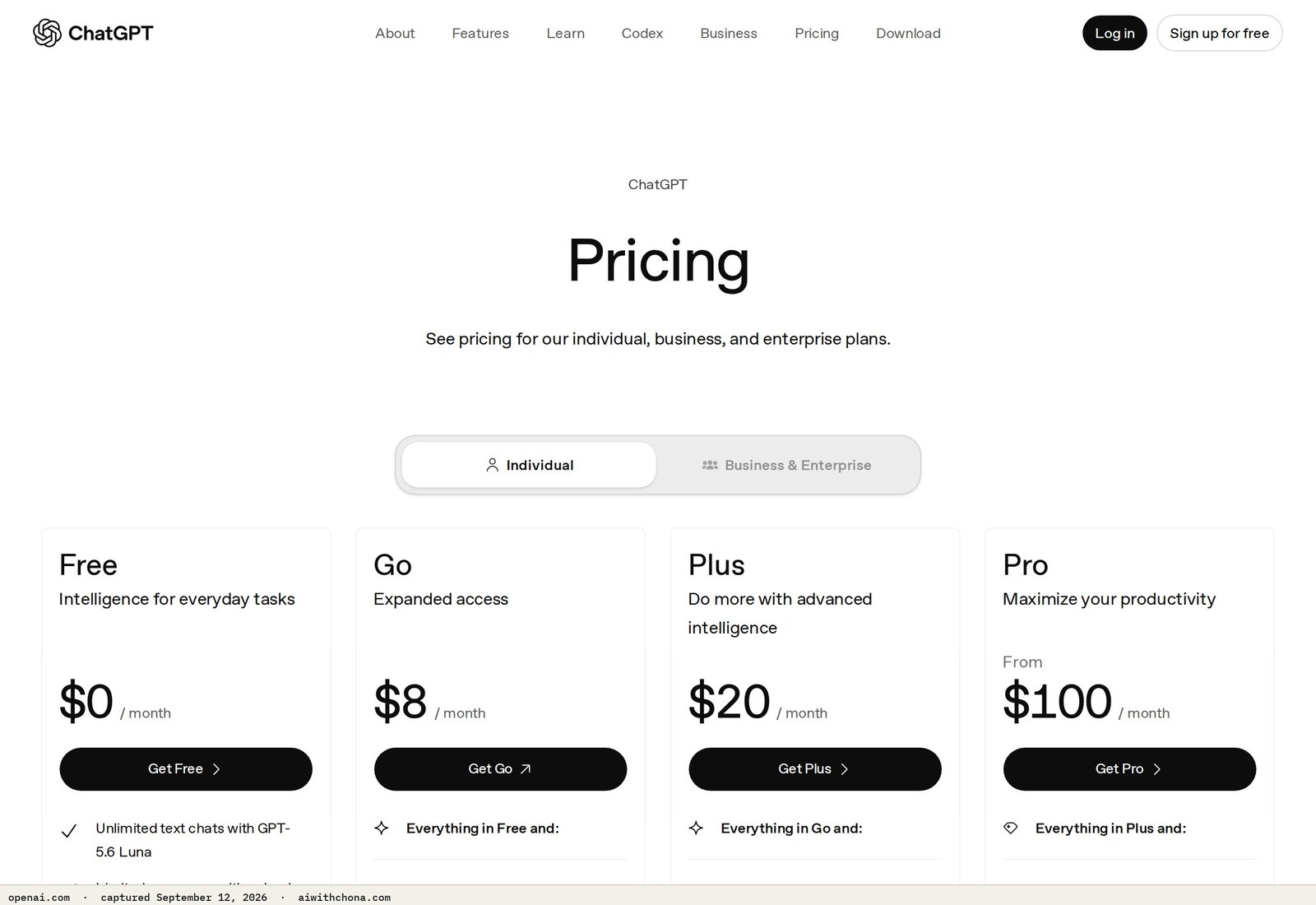
- You have $20/month for ChatGPT Plus. The free tier of ChatGPT hits message limits fast. ChatGPT Plus at $20/mo (billed monthly) gives you GPT-4o access without interruptions.
- You understand you are NOT a CPA. Your service is organizing and reporting expenses — not filing taxes, not giving tax advice. You will refer those questions to a licensed accountant. This distinction is what keeps you legal and out of trouble.
- You have 5–8 hours for your first client setup. Onboarding the first client takes longer. Clients two and three take 2–3 hours each once you have a system.
Step 1: Understand What You’re Actually Selling
You’re selling organized financial clarity, not accounting. The distinction matters legally and practically.
A bookkeeping assistant service does three things: collects a client’s income and expense records (bank statements, receipts, invoices), categorizes each transaction, and delivers a clean monthly report. That’s it. Tax filing, payroll, and financial advice all require licensing. What you’re doing is closer to a very organized virtual assistant — and it is both legal and genuinely valuable.
According to the U.S. Bureau of Labor Statistics, bookkeeping clerks earned a median hourly wage of $22.80 in 2023. You’re targeting $300–$500/month per client, which at 4–6 hours of monthly work per client works out to $50–$125/hour. That’s the economics behind this service.
Step 2: Set Up the Tools You Need to Start
Keep overhead low. You need three tools — two of them are free.
| Tool | What It Does | Free Plan | Paid Plan | Verdict |
|---|---|---|---|---|
| ChatGPT | Categorizes expenses, writes reports, drafts client emails | GPT-4o with message limits | Plus: $20/mo, higher limits, GPT-4o | Pay for Plus once you have your first client |
| Wave | Free accounting software — tracks income, expenses, generates reports | Invoicing and accounting free forever | Payroll add-on starts at $20/mo (you won’t need this) | Use the free plan — it’s enough for this service |
| Google Sheets | Expense log, client tracker, monthly summary template | Free with any Google account | Not needed | Free forever — stick with it |
Total monthly overhead: $20 for ChatGPT Plus. That’s it. Wave and Google Sheets are free. Your profit margin on a $300/month client is $280/month net.
Step 3: Build Your One-Page Service Menu
Before you pitch anyone, write down exactly what you offer. Vague services don’t get hired — specific packages do.
Here are two packages that work for this service level:
- Starter Package — $300/month: Client sends you bank statements and receipts by the 5th of each month. You categorize every transaction, log them in their Wave account, and deliver a PDF expense summary by the 15th. Up to 100 transactions per month.
- Growth Package — $500/month: Everything in Starter, plus a monthly Profit & Loss overview (Wave generates this automatically), a 3-bullet plain-English summary of what the numbers mean, and a 15-minute Zoom call to walk them through it. Up to 200 transactions per month.
Transactions over the cap? Charge $1.50 per extra transaction. This prevents a client with 400 receipts from eating your whole month for $300.
Step 4: Learn the Core Workflow Before You Have a Client
Do one dry run on your own finances or a made-up sample before you pitch anyone. Here’s the repeatable monthly workflow:
- Receive records. Client emails or shares a Google Drive folder with their bank statement (PDF or CSV) and any receipts for that month.
- Paste into Google Sheets. Copy the transaction list into a clean spreadsheet with columns: Date | Description | Amount | Category | Notes.
- Run the categorization prompt below in ChatGPT. Paste in 20–30 transactions at a time. Review its output — it gets 90%+ right on common business expenses; you fix the edge cases manually.
- Enter categorized transactions into Wave. Wave’s free accounting dashboard auto-generates a Profit & Loss report once transactions are in. This takes 20–30 minutes per client once you’re practiced.
- Generate the PDF report. Export the Wave summary, open ChatGPT, and use the report-writing prompt below to produce a plain-English summary. Drop it into a Google Doc, export as PDF.
- Deliver by your promised date. Email the PDF to the client with a 2-sentence summary of anything notable (biggest expense category, any unusual charges).
The Exact AI Prompts to Copy and Use
Prompt 1: Expense Categorization
You are a bookkeeping assistant helping me categorize business expenses for a small business owner.

Here is a list of transactions from their bank statement. For each transaction, assign ONE category from this list:
- Advertising & Marketing
- Bank Fees
- Equipment & Technology
- Insurance
- Meals & Entertainment (Business)
- Office Supplies
- Professional Services
- Rent & Utilities
- Software & Subscriptions
- Travel
- Uncategorized (flag for review)

Return the results as a table with four columns: Date | Description | Amount | Category.

If a transaction is ambiguous, assign the most likely category and add a short note in a fifth column called "Notes."

Here are the transactions:
[PASTE TRANSACTIONS HERE — one per line, format: Date, Description, Amount]
Prompt 2: Monthly Report Summary
You are writing a plain-English monthly financial summary for a small business owner who is not a finance expert.

Here are their numbers for [MONTH YEAR]:
- Total Income: $[X]
- Total Expenses: $[X]
- Net Profit/Loss: $[X]
- Top 3 expense categories: [list them with dollar amounts]
- Any notable transactions: [describe if any]

Write a 3–5 sentence summary that:
1. States whether they had a profitable month
2. Identifies the largest expense area and whether it seems normal
3. Flags anything worth their attention
4. Uses zero financial jargon — write like you're explaining it to a friend

Tone: warm, clear, professional. No bullet points — write it as a short paragraph.
Prompt 3: Client Cold Outreach Email
Subject: Monthly expense reports for [Business Name] — want a free sample?

Hi [First Name],

I'm [Your Name] — I help small businesses like [Business Name] get a clean monthly expense summary without hiring a full-time bookkeeper.

Every month, I organize your bank transactions into categories, log them in Wave (free accounting software), and send you a one-page PDF report you can actually read in five minutes.

I charge $300/month for businesses under 100 transactions. No contracts — cancel anytime.

I'd love to do your [current month] report for free so you can see exactly what you get before committing. Interested?

[Your Name]
[Your Email] | [Your Phone]
This cold-outreach approach is the same framework that works across AI service businesses. If you want to see how it’s adapted for other niches, the AI cold emails full playbook covers the structure in detail.
Step 5: What to Charge and How to Structure It
Here’s the honest pricing breakdown, with what pushes you toward the high or low end:
- $300/month — client has fewer than 100 transactions, hands you a clean CSV, and doesn’t need a call. This is your entry price for the first 1–2 clients while you’re building speed.
- $500/month — client has 100–200 transactions, wants a Profit & Loss report, and needs a monthly Zoom walkthrough. This is where you should land by client three.
- $150 one-time setup fee — charge this when you’re setting up a brand-new Wave account and importing historical data (more than 3 months back). It’s fair because that work doesn’t repeat.
The worked math: Three clients at $300 = $900/month. Minus $20 for ChatGPT Plus = $880 net. Two clients at $500 = $1,000/month. Minus $20 = $980 net. At five clients — a realistic 6-month goal — you’re looking at $1,480–$2,480/month for roughly 20–25 hours of work.
Step 6: How to Land Your First Client
The fastest channel is local Facebook Groups and Google Business Profile outreach. Here’s the specific sequence:
- Search Facebook for “[your city] small business owners” or “[your city] entrepreneurs.” Join 3–5 active groups.
- Post once per group (don’t spam): “I’m a bookkeeping assistant in [City] — I organize monthly expenses and deliver a clean PDF report for $300/month. Anyone need this?” Simple. Direct. No hype.
- Find 30 local businesses on Google Maps — restaurants, salons, contractors, cleaning services, landscapers. These businesses almost always handle their own messy bookkeeping. Copy their contact email from their Google Business Profile.
- Send the cold outreach email above (Prompt 3) to each one, personalized with their business name. Send 10 per day over 3 days.
- Follow up once after 5 days if no reply. One follow-up only — two lines, just asking if they saw your email.
Most beginners land 0–2 clients in the first 90 days. The ones who land 2 sent at least 30 outreach messages. The ones who land 0 sent fewer than 10 and gave up after a week.
For a deeper look at outreach that actually gets replies, the AI cold outreach script guide covers the exact message structure that works for local business owners.
- Recurring monthly retainer (predictable income)
- Wave is free — your overhead is just $20/mo
- ChatGPT categorizes 90%+ of transactions accurately
- Local service businesses are an underserved, easy-to-reach market
- No degree or certification required for this scope of work
- Clients with messy, unorganized records take much longer than expected
- Some clients will ask for tax prep — you cannot do this without a license
- ChatGPT occasionally miscategorizes unusual transactions — always review
- Slow months for client business = slow months for your retainer (some clients pause)
Step 7: What Goes Wrong (And the Fix)
Three failure points hit beginners consistently. Know them before you hit them.
- Scope creep into tax territory. A client says “while you’re at it, can you tell me what I can deduct?” That’s tax advice. Politely say: “I organize and report your expenses — for deduction advice, your CPA is the right person. I can send them the report I prepare.” Draw this line early, in writing, in your service agreement.
- Clients who don’t send records on time. You deliver on the 15th, but the client sends records on the 20th. Fix: set a clear intake deadline (the 5th of each month) in your onboarding email. Add a one-sentence late fee clause — $50 if records arrive after the 10th. Most clients never trigger it, but it sets expectations.
- Underestimating the first client’s setup time. The first client takes 5–8 hours because you’re learning the workflow and their business simultaneously. Don’t price client one at $300 and then resent the hours. Price it correctly and know it gets faster — client two takes about half the time.
If a Client Asks Whether You Used AI
They will ask. The honest answer is: yes, you use AI tools as part of your workflow, the same way an accountant uses Excel. You review and verify every output. The value they’re paying for is your organized, accurate monthly report — not the specific tool you used to produce it. For a full guide on how to handle this conversation without losing the client, see what to say when a client asks if you used AI.
Frequently Asked Questions
Do I need any certifications to start an AI bookkeeping assistant service?
No certification is required to categorize expenses and produce financial reports for clients as a bookkeeping assistant. The legal line is providing tax advice or filing taxes — those require a licensed CPA or enrolled agent. As long as your service is limited to organizing, categorizing, and summarizing financial records, you’re operating as a non-licensed bookkeeping assistant, which is legal in all 50 U.S. states. The American Institute of Professional Bookkeepers (AIPB) offers optional certification if you want to add credibility as you grow, but it is not required to start.
How many clients can I realistically handle per month?
Once you have a solid workflow, each client at the $300 Starter level takes roughly 3–4 hours per month. At the $500 Growth level, budget 5–6 hours including the Zoom call. That means 5 clients is a manageable solo workload at around 20–25 hours per month. Beyond that, you’d either raise prices, hire a subcontractor to help with data entry, or specialize in fewer, higher-paying clients.
What if a client has hundreds of transactions — is ChatGPT still accurate enough?
For common business expense categories (software subscriptions, meals, office supplies, advertising), ChatGPT’s categorization is highly consistent. The vendor’s documentation for GPT-4o notes its strength in structured data tasks like classification. You’ll still review every batch — plan on manually correcting 5–10% of transactions, typically unusual vendors or one-off purchases. Paste transactions in batches of 20–30 rather than all at once for better accuracy per batch.
What’s a realistic income in the first 90 days?
Most people starting this service land 0–2 clients in their first 90 days. At $300/month, that’s $0–$600/month by day 90. The spread comes down almost entirely to outreach volume — those who land 2 clients sent 30+ personalized outreach messages; those who land 0 typically sent fewer than 10. By month 6, with consistent outreach, 3–5 clients at $300–$500 each ($900–$2,500/month) is a realistic range. These are projections based on reported freelance bookkeeping rates, not guaranteed outcomes.
Can I use a free ChatGPT account to run this service?
The free ChatGPT plan includes access to GPT-4o but with daily message limits that OpenAI adjusts periodically. For a single client doing light work, you might get by on the free plan at first. Once you have two or more clients with monthly transaction batches to process, the free plan’s limits will interrupt your workflow. ChatGPT Plus at $20/mo removes those limits and is the right call once you have paying clients — the cost is covered by less than one day of client fees.
Your Next Step
The fastest way to start is to run the expense categorization prompt on your own last month’s bank statement — right now, today, before you have a client. It takes 20 minutes, and you’ll see exactly how the workflow feels before you promise it to anyone.
Once you’ve done your dry run, send the cold outreach email to 10 local businesses this week. That’s the whole Monday morning task. One dry run, ten emails.
If you want a broader system for launching AI service businesses — including how to set up your first client onboarding and find your niche — the free AI Quick-Start guide on this site walks you through it step by step.
This article is general informational content, not legal or financial advice. Bookkeeping regulations vary by state and situation. If you’re unsure about the scope of services you can legally offer, consult a licensed accountant or business attorney in your state.
Grab the free AI Quick-Start guide — the exact tools and first steps that actually work, no fluff. Straight to you.