
By Chona · Published August 25, 2026
Most small business owners are drowning in data they never look at. Their Google Analytics sits untouched. Their ad spend report is a spreadsheet nobody reads. Their social metrics live in five different apps. What they actually want is one clean summary every Friday that tells them what happened and what to do next.
That’s a service you can charge $300–$500 a month for. With AI handling the heavy lifting, you can deliver it in about 90 minutes per client per week — including the first one you’ve never done before.
This is a complete playbook: the exact setup, the copy-paste prompt, what to charge, and the word-for-word message to land your first client.
Before You Start: A Four-Item Checklist
Don’t skip this. Each item takes under 10 minutes and prevents the most common first-week stumbles.
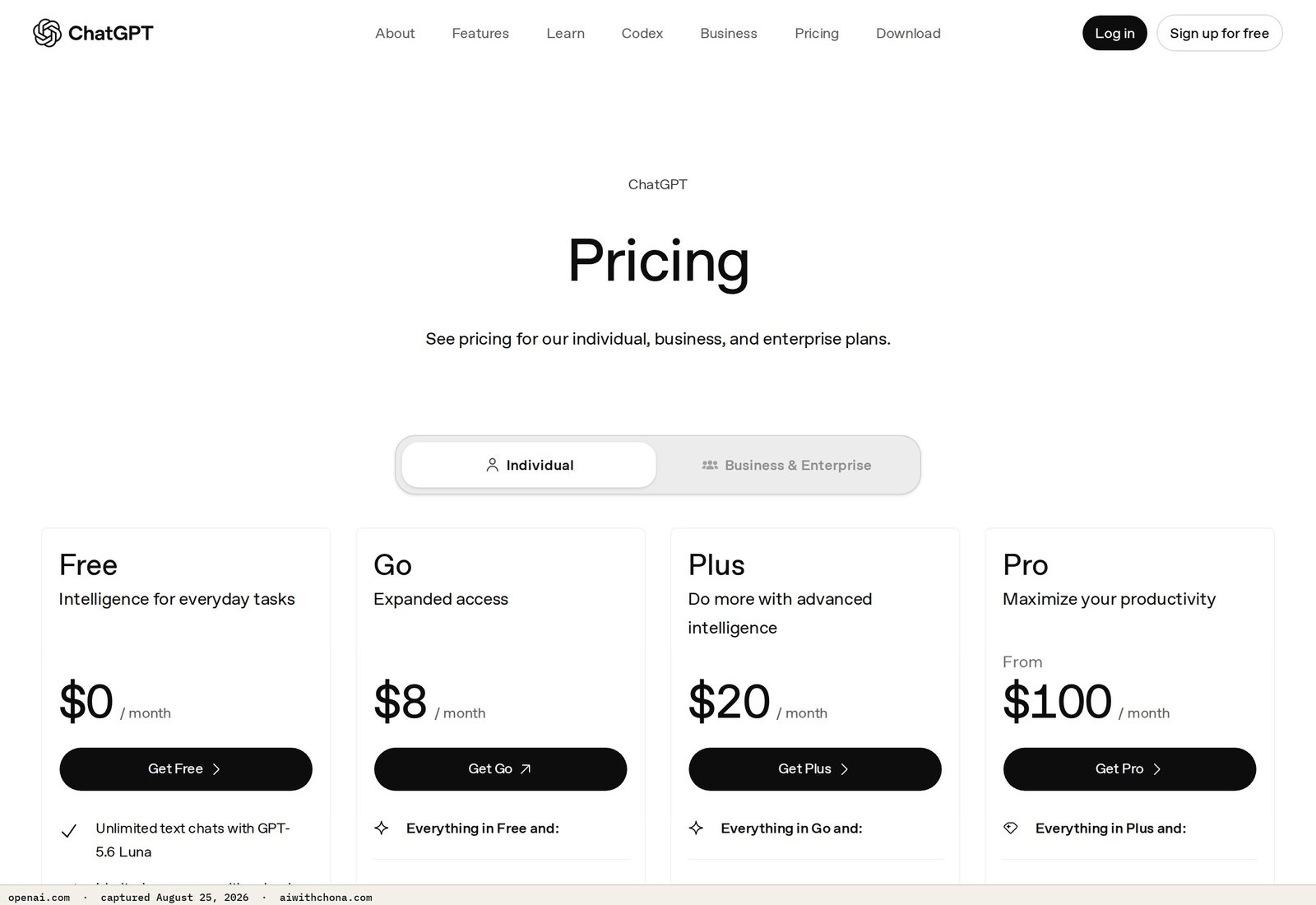
- A ChatGPT Plus account ($20/mo). The free tier works for drafts, but the Plus tier — which runs GPT-4o — produces tighter, more reliable narrative summaries. See ChatGPT’s current plans here. This is the only paid tool this service requires.
- Google Docs and Google Forms (both free). Docs is your report template. Forms is how clients submit their weekly numbers to you without any back-and-forth.
- One niche picked. Don’t try to serve everyone. Pick one: salons, gyms, real estate agents, or restaurants. You’ll land clients faster and your prompt library gets sharper with every report you write.
- One sample report ready before you pitch. Build a fake one for “Riverside Fitness” before you talk to a real client. Having something to show closes deals.
Step 1: Decide Exactly What You’re Delivering
The deliverable is a one-page weekly report — PDF or Google Doc — that covers three things: what the top metric was last week, what changed versus the prior week, and one recommended action. That’s it. Clients don’t want a 12-page analytics deep-dive. They want to read it in under two minutes.
Pick two or three data sources depending on the client’s business. Common combinations:
- Salon or spa: Google Business Profile views, new reviews, appointment bookings
- Gym or fitness studio: New member inquiries, Google reviews, Facebook or Instagram reach
- Real estate agent: Website visitors, Zillow/Realtor.com profile views, number of leads
- Restaurant: Google Business Profile calls and direction requests, new reviews, weekly covers or online orders
Done looks like: You have a list of exactly 3–5 data points you’ll collect from this client every week, before you ever send a pitch.
Step 2: Build Your Data Intake Form (10 Minutes)
Open Google Forms and create a new form called “[Client Name] Weekly Numbers.” Add one question for each data point you agreed to track. Keep questions dead simple:
- How many new Google reviews did you get this week?
- How many calls came through Google Business Profile?
- What was your total ad spend this week? ($)
- How many new leads or inquiries did you receive?
- Anything unusual this week? (promotions, events, closures — short answer)
Send the client the form link on Monday. They fill it out in under three minutes. Their answers land in a Google Sheet automatically. You copy those answers into your prompt on Wednesday or Thursday, and the report goes out Friday morning.
Done looks like: A working Google Form with responses flowing into a connected Google Sheet, and your client has confirmed they’ll fill it out each Monday.
Step 3: Automate Weekly Client Reporting with AI — The Exact Prompt
This is the core of the service. Paste the prompt below into ChatGPT (Plus tier recommended), replacing the bracketed fields with your client’s actual numbers from the intake form.
You are a marketing analyst writing a weekly performance summary for a small local business owner.
The owner is not technical. They need plain English, no jargon, and one clear takeaway per section.

Business name: [Riverside Fitness]
Business type: [Local gym / fitness studio]
Report week: [July 14–20, 2026]

Here are this week's numbers:
- New Google reviews: [3] (last week: [1])
- Google Business Profile calls: [22] (last week: [18])
- Google Business Profile direction requests: [14] (last week: [11])
- Facebook page reach: [1,840] (last week: [2,100])
- New membership inquiries: [7] (last week: [5])
- Ad spend this week: [$180] (last week: [$180])
- Anything unusual: [Ran a "Summer Kickoff" promo Mon–Wed]

Write a one-page weekly report with four short sections:
1. THIS WEEK AT A GLANCE — 2–3 sentence summary of overall performance, written like a knowledgeable friend, not a corporate report.
2. WHAT MOVED — call out the 2 biggest changes (up or down) and a likely plain-English reason for each.
3. WATCH THIS — one metric that needs attention next week and why.
4. RECOMMENDED NEXT ACTION — one specific, actionable suggestion the owner can act on before next Friday.

Tone: warm, confident, direct. No bullet points in the summary sections — write in short paragraphs.
Length: under 300 words total. End with a one-line note: "Next report: [July 28, 2026]."
ChatGPT will return a clean, professional draft in about 15 seconds. Read it once, fix anything that doesn’t match what you know about the client, then paste it into your Google Doc template and export as PDF.
Done looks like: A polished, under-300-word report in your client’s branded Google Doc, ready to send.
Step 4: Tools You Actually Need (And What to Skip)
| Tool | What It Does Here | Free Plan | Paid Cost | Verdict |
|---|---|---|---|---|
| ChatGPT | Writes the report narrative from your data | Yes — GPT-4o with usage limits | $20/mo (Plus, billed monthly) | Start free; upgrade when you have 2+ clients |
| Google Forms | Collects weekly data from client | Fully free | Free | Use this, full stop |
| Google Docs | Report template, PDF export | Fully free | Free | Use this |
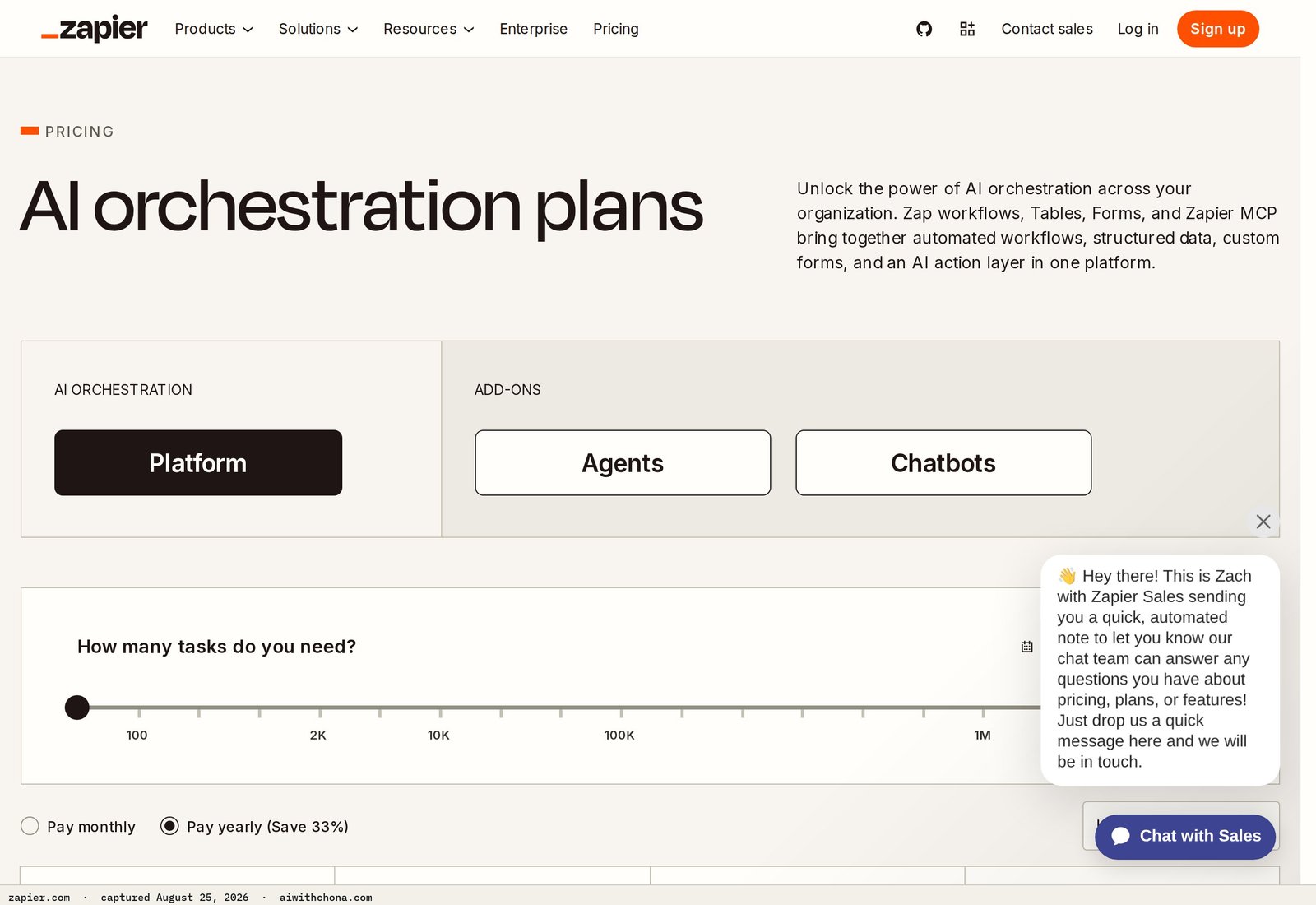
| Zapier | Auto-emails the report PDF on a schedule | 100 tasks/mo free | Starting at $19.99/mo (Starter) | Skip until you have 3+ clients — manual email is fine early on |
| Canva | Branded report design (optional upgrade) | Yes — hundreds of templates | $15/mo (Pro) | Nice to have at month 2; not needed to start |
Best paid pick: ChatGPT Plus at $20/mo is the only tool worth paying for here. It’s the engine that turns raw numbers into readable prose in seconds. At 3 clients paying $500 each, you’re netting $1,480/mo after tool costs. That’s the math.
What to Charge for an AI Reporting Service
Use this rule mechanically: charge $300/mo if the client hands you already-formatted numbers via the intake form; charge $500/mo if you’re also pulling raw data from platforms yourself — logging into their Google Analytics, their Meta Ads Manager, or their Google Business Profile dashboard to find the numbers before you can even write the report.
The extra $200 is for your time accessing those platforms, not for the AI work. That’s a fair and defensible split.
In a small metro or rural market (think: Tulsa, Boise, Knoxville), $300/mo is an easy yes for a local business owner. In a larger market (Los Angeles, Chicago, Miami), $500/mo for a done-for-you reporting service is still under what a part-time marketing coordinator costs. Neither number requires negotiation or apology.
Structure it as a monthly retainer, billed on the 1st. Require 30-day written notice to cancel. Keep it simple — no contracts longer than one page.
- Recurring revenue — same work, same pay, every month
- Low overhead: $20/mo in tools for unlimited clients
- Easy to explain: “I send your boss a weekly summary of how the business is doing”
- Clients rarely cancel once the habit is set — it becomes part of their Monday routine
- Clients forget to fill the form — you need a Monday reminder system
- Some clients want a phone call walkthrough, which eats your time fast
- The first report for any new client takes 3–4 hours to set up and template
- Scope creep: “Can you also do our monthly newsletter?” — hold the line or charge more
Step 5: How to Get Your First Client for AI Reporting
Warm outreach closes faster than cold every time. Start with people you already know: a friend who runs a yoga studio, a family member in real estate, a neighbor with a landscaping business. Your first client doesn’t need to be a stranger.
If you don’t have a warm connection, here’s the exact cold outreach message to send via Instagram DM, Facebook message, or email to a local business:
Subject: Quick question about your marketing numbers

Hi [Owner's Name],

I'm [Your Name] — I help local [gyms / salons / real estate agents] in [City] understand their marketing performance without having to dig through a dozen different apps.

Every Friday I send my clients a simple one-page summary: what worked this week, what didn't, and one thing to focus on next. Takes them two minutes to read.

I have one opening this month. Would a quick 15-minute call this week make sense? No pitch, just want to see if it's a fit.

[Your Name]
[Phone or link to calendar]
Send this to 10 businesses. Expect 2–3 replies and 1 yes. That’s a realistic first-month outcome, not a guarantee — the people who land their first client faster are the ones who send 20–30 messages, not 5.
For more on landing that first paying client, this playbook on getting your first freelance AI client covers the full outreach sequence in detail.
Step 6: The Realistic First 90 Days
Here’s the honest math, not the highlight reel:
- Month 1: You set up your template, build your sample report, and send outreach. Most people land 0–1 paying client. The ones who land 1 sent at least 20 outreach messages and had a sample report ready to show.
- Month 2: You’re delivering weekly reports for 1 client ($300–$500/mo), refining your prompt, and continuing outreach. You may add a second client.
- Month 3: With 2–3 clients, you’re earning $600–$1,500/mo. Each weekly report takes about 60–90 minutes once you have the template dialed in.
Tool costs at 3 clients: $20/mo for ChatGPT Plus. Everything else is free. Net at 3 clients paying $500 each: $1,480/mo.
This isn’t passive income — you’re doing real work each week. But it’s predictable, recurring, and scalable without hiring anyone. And if you’re already running other AI services, this pairs naturally. See the full AI automation retainer playbook for how to bundle services into a higher-value monthly package.
What Goes Wrong (And the Fix)
Problem 1: The client stops filling out the form. This kills the service quietly. Fix: set a Zapier automation (free tier is enough for one client) that sends them a Monday morning reminder text or email automatically. If they miss two weeks in a row, call them — don’t let it drift.
Problem 2: The AI report sounds generic. If ChatGPT doesn’t know anything specific about the client’s business, the output reads like a template. Fix: add a one-paragraph “About this business” section at the top of your prompt — the niche, their main offer, their typical busy season. The more context you give, the sharper the output.
Problem 3: Scope creep eats your margin. A client who starts asking for strategy calls, social posts, or ad recommendations on top of the report is getting more than they’re paying for. Fix: define the deliverable in writing before month one — “One PDF report, delivered by Friday noon, based on data submitted by Monday.” Anything beyond that is a separate line item.
For a broader look at which AI tools support this kind of small-business work, this roundup of AI tools for automating a small online business is a solid companion read.
Trading Command Center is a Google Sheets portfolio dashboard plus a small, explicit Python bot on the Alpaca API — paper trading by default, every rule on one screen.
Frequently Asked Questions
Do I need any marketing or analytics experience to offer this service?
No formal experience is required. The value you’re delivering is the translation layer — turning raw numbers into plain English — which is what ChatGPT does once you give it the right prompt. You do need to understand what the metrics mean at a basic level (what a Google Business Profile call is, what reach means on Facebook) so you can catch obvious errors in the AI output. Most of that knowledge is one YouTube search away per metric, and you’ll have it locked in after your first two or three reports.
Can I use the free version of ChatGPT instead of paying for Plus?
Yes, especially for your first client. The free tier of ChatGPT now runs GPT-4o with usage limits — as this honest breakdown of the free vs. Plus decision explains. For one client sending one report per week, you’re unlikely to hit the cap. Once you’re delivering reports for two or more clients weekly, the $20/mo Plus plan removes the friction and is worth the cost.
What if a client wants a more visual report with charts and graphs?
That’s a legitimate upgrade you can charge more for — not a baseline expectation. A plain Google Doc report is the standard offering at $300–$500/mo. If a client wants charts, build the report in Canva using their free plan templates, which handle basic bar and line charts cleanly. Charge $100–$150 more per month for the visual version. Most clients, especially small local businesses, genuinely prefer the short text summary over a chart-heavy PDF they have to interpret.
How do I handle clients who have no data to report on?
If a client has no Google Business Profile, no social presence, and no ads running, there’s nothing to report on — and this service doesn’t fit them yet. The right move is to help them set those up first, which is a separate paid project. You can refer them to the Google Business Profile optimization service as a logical first step before they become a reporting client.
Is a monthly retainer the only way to price this, or can I charge per report?
A monthly retainer is strongly preferable because it creates predictable income for you and a predictable habit for the client. Per-report pricing (around $75–$100 per report) works for a one-time trial but almost always leads to clients pausing when business slows — right when their data is most interesting. If a client resists the retainer, offer a two-report trial at $150 flat, then move them to monthly. The retainer is worth pushing for.
Your next step: Build your sample report before you send a single pitch. Open ChatGPT, paste the prompt from Step 3 with made-up numbers for a fictional local gym, and produce a finished one-pager. Save it as a PDF. That document is your sales tool — and it takes about 20 minutes to create. Do that today, and you’ll be ready to send your first outreach message tomorrow.
Grab the free AI Quick-Start guide — the exact tools and first steps that actually work, no fluff. Straight to you.