
By Chona · Published September 21, 2026
Most Beginners Overspend on AI Tools Before They Earn a Dollar
A $49/month Jasper subscription. A $30 Grammarly Business plan. A $20 Notion AI add-on. It adds up fast — and most of it is dead weight before you have a single paying client.
Here’s what the actual working stack looks like: six tools, most of them free, total cost between $0 and $20 a month. That’s the honest number, and I’ll show you exactly how to get there.
This isn’t a roundup of 40 tools. It’s the specific combination that covers writing, design, scheduling, client communication, and file delivery for the service businesses we teach here — Google Business Profile setup, social content management, resume help, and email services. Miss #4 — most people do — and you’re doing three steps by hand that take 30 seconds with the right free tool.
The Best Free AI Stack for a Service Business — 6 Tools, One Decision Rule
Decision rule: Start with every free tier. Upgrade a tool only when a single client’s monthly payment covers the upgrade cost. That keeps your net margin above 90% in month one.
| Tool | What it does in your business | Free tier | Paid tier | Upgrade trigger |
|---|---|---|---|---|
| ChatGPT | Writing, proposals, emails, SEO copy | GPT-4o with usage caps | $20/mo (Plus) | Hitting caps with 2+ active clients |
| Canva | Social graphics, proposals, cover images | Unlimited designs, Magic Write AI | $15/mo (Pro) | Client needs brand kit or background remover daily |
| Google Docs + Drive | Proposals, contracts, file delivery | 15 GB storage, full suite | $3/mo (Google One 100 GB) | Only if you store large video files |
| Buffer | Social post scheduling for clients | 3 channels, 10 scheduled posts each | $6/mo (Essentials) | Second social-media client |
| Notion | Client tracker, content calendar | Unlimited personal pages, 10 guests | $10/mo (Plus) | Rarely needed — free tier is enough |
| Google Business Profile | The product you sell to local clients | 100% free to manage | — | Never — no paid tier exists |
1. ChatGPT Free — Your Writing Engine (Upgrade Only When Revenue Justifies It)
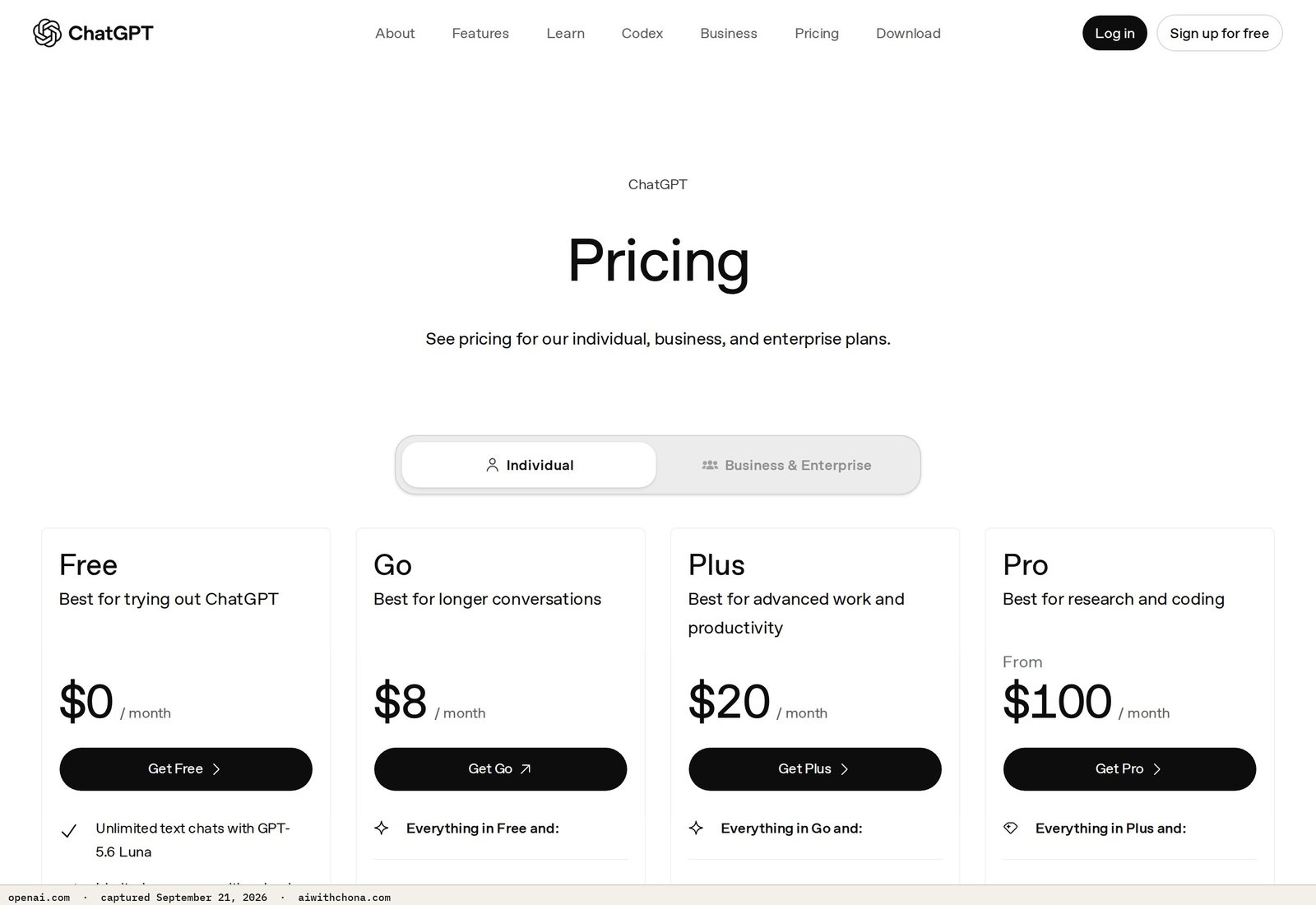
The free tier of ChatGPT runs on GPT-4o with usage caps, according to OpenAI’s pricing page. For one or two clients, those caps are rarely a problem — you’re not running a content factory, you’re writing a few proposals and social captions a week.
Where ChatGPT Free earns its spot: client email drafts, Google Business Profile descriptions, social captions, resume bullet points, and proposal copy. That covers the core services we teach on this site.
Where the free tier genuinely falls short: if you’re managing three or more clients and hitting the daily GPT-4o cap mid-project, you lose momentum. That’s the real upgrade trigger — not “I want better output.”
ChatGPT Plus is $20/mo, billed monthly. One client paying $150/mo covers it and leaves $130 net. That math is the only reason to upgrade.
- GPT-4o quality on the free tier — no downgrade to an older model
- Handles every writing task in a service business
- $20/mo Plus pays for itself with one client
- Free tier has usage caps that hit with 3+ active clients
- No image generation on the free tier (requires Plus)
- Conversation memory is limited on free
For the social graphics side of your service business, pair ChatGPT with the next tool instead of paying for image generation inside ChatGPT Plus — it’s cheaper and faster for client deliverables. See our guide on how to sell AI social media graphics for $300/month for the exact workflow.
2. Canva Free — Design Without a Designer
Canva’s free plan includes unlimited designs and Magic Write, their built-in AI writing assistant, at no cost — confirmed on Canva’s pricing page. For most service business deliverables — social posts, a one-page proposal PDF, a simple cover image — the free tier is fully sufficient.
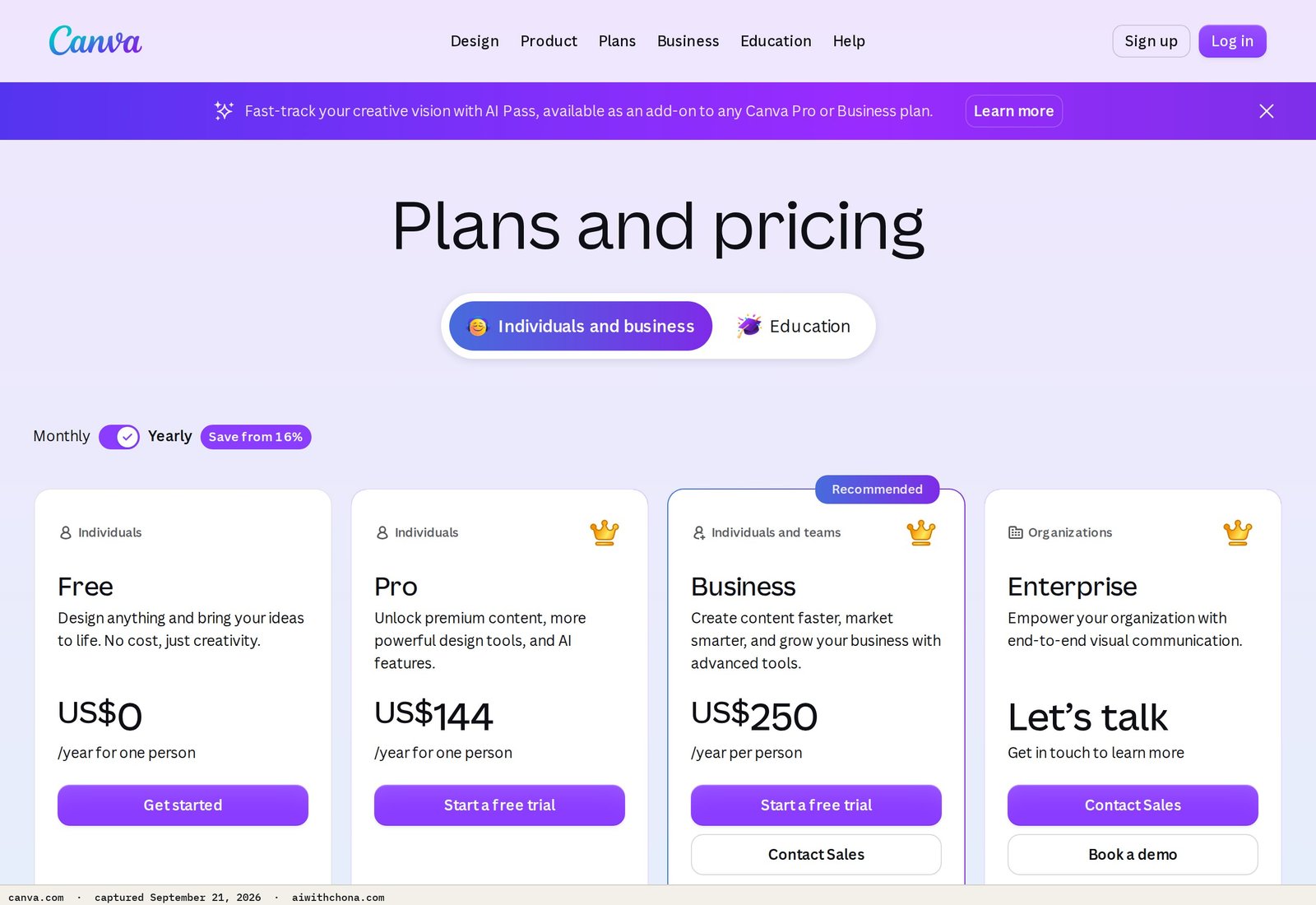
The one real limit on Canva Free: you can’t remove backgrounds in bulk or save a client’s brand colors as a locked kit. If a client wants 20 product photos with backgrounds removed every week, Canva Pro at $15/mo pays for itself. For everyone else, free is the right choice.
Canva also replaces Microsoft Office for proposals and contracts. A clean two-page proposal built in Canva, exported as a PDF, looks more professional than a Word doc — and costs nothing.
3. Google Docs + Drive — The Free Office Suite Nobody Should Pay to Replace
Google gives every account 15 GB of Drive storage and the full Docs, Sheets, and Slides suite at no charge. For a service business, that covers contracts, proposals, content calendars, and client file delivery — indefinitely, for most people.
Google One’s 100 GB upgrade costs $3/mo if you ever need it. The only legitimate reason to hit that wall early is storing large video or audio files for a client. Text documents and graphics barely dent 15 GB.
One non-obvious advantage: sharing a Google Doc with a client link means they can comment in real time. No email attachments, no version confusion, no “did you get my PDF?” That alone saves 20 minutes per client revision round.
4. Buffer Free — Schedule Client Social Posts Without Logging Into Their Accounts Daily
Buffer’s free plan connects up to 3 social channels and lets you queue 10 posts per channel. That’s enough for one social media management client — you write the posts in ChatGPT, drop them into Buffer, and the client’s Facebook and Instagram post automatically throughout the week.
This is the tool most beginners miss. Without a scheduler, you’re either logging into a client’s account daily (a security risk and a time drain) or handing them a content calendar they have to post manually (which they won’t). Buffer solves both problems for free.
Buffer Essentials is $6/mo and removes the 10-post cap. Add it when you land your second social media client — not before. At $150–$200/mo per client for social management, $6 is a rounding error.
If you want to see what a full social management service looks like — pricing, what to deliver, and how to find clients — read our $300/month AI email management service playbook, which uses the same outreach approach.
5. Notion Free — Client and Project Tracker That Costs Nothing
Notion’s free personal plan includes unlimited pages and up to 10 guests, per Notion’s pricing page. For a solo service business with two to five clients, that’s more than enough to run a content calendar, a client tracker, and a task list.
The practical setup: one Notion page per client, with a table that tracks what’s due, what’s delivered, and what’s been invoiced. Share it with the client as a read-only link so they can see progress without emailing you every day.
Notion’s paid Plus plan at $10/mo adds unlimited file uploads and version history. Skip it unless you’re running six or more clients and need the audit trail for a dispute. The free tier genuinely handles everything a beginner needs.
6. Google Business Profile Manager — The Free Product You Sell to Local Clients
Google Business Profile is 100% free to set up and manage — there is no paid tier, according to Google’s Business Profile site. This matters because GBP setup and optimization is one of the clearest entry-point services for beginners: local shops need it, most of them have an incomplete or unclaimed profile, and the work is straightforward with the right prompts.
You charge $150–$300 for a one-time GBP setup (photos, description, categories, first 5 posts). The tool costs you nothing. Your cost is time: two to four hours for the first client, one to two hours once you’ve done it twice.
See the full playbook — including the exact outreach script and what to charge — in our $300/client Google Business Profile service guide.
The Exact Prompt That Powers Most of This Stack
Every tool above generates better output when you give ChatGPT a clear brief first. Copy this prompt, fill in the brackets, and paste it into ChatGPT before any client writing task:
You are a professional copywriter helping a small local business.

Business type: [e.g., plumber, hair salon, tax preparer]
City and neighborhood: [e.g., Tampa, FL — South Tampa]
Target customer: [e.g., homeowners aged 35-60 with a leaky faucet]
Tone: [e.g., friendly and trustworthy, not salesy]
Task: [e.g., Write a 150-word Google Business Profile description that includes
the business name, top 3 services, city name, and a call to action.]

Write one version. No bullet points. No filler phrases like
"look no further" or "one-stop shop."
This single prompt handles GBP descriptions, social captions, email drafts, and proposal intros. Swap the Task line for whatever the client needs. The output lands at 80–90% usable on the first try for most straightforward service businesses — you spend 5 minutes editing, not 30 minutes writing from scratch.
The Honest Cost and Time Breakdown
Month 1, zero clients: $0/mo. Every tool above is free. Your only cost is time — expect 3–6 hours learning the stack before your first client project.
Month 1, one GBP client at $200: Still $0/mo in tools. Net: $200. Time to deliver: 3–4 hours. Hourly equivalent: $50–$67.
Month 2, two social media clients at $150/mo each + one GBP client at $200: Upgrade ChatGPT to Plus ($20/mo) and Buffer to Essentials ($6/mo). Total tool cost: $26/mo. Revenue: $500. Net: $474. Time: roughly 12–15 hours/month.
That’s the realistic 60-day arc. Most people land 0–2 clients in the first 90 days. The ones who land 2 sent at least 25–30 direct outreach messages to local businesses — not one post on Facebook asking “who needs help?”
What Goes Wrong (and the Fix)
Problem 1: You hit ChatGPT Free’s usage cap mid-project.
Fix: Batch your writing tasks. Do all client copy for the week in one 90-minute session instead of logging in five times a day. The cap resets daily, so spreading work out is the free-tier strategy.
Problem 2: A client asks you to post directly to their social accounts, and you don’t want their password.
Fix: Have them add you as a Page manager on Facebook/Instagram (it’s a permission role, not a password share), then connect that page to Buffer. You schedule; they never share credentials.
Problem 3: You buy three paid tools before landing a client, then stop when the income doesn’t come fast enough.
Fix: This is the most common reason AI side hustles stall by month two. The tools did not fail — the sequence did. Land a client on the free stack, collect payment, then upgrade. The upgrade feels justified because it’s already paid for. If you want the full picture on why this pattern kills income before it starts, read why AI side hustles fail by month two.
Your First Outreach Message (Copy This)
Find a local business on Google Maps with an incomplete or unverified Business Profile. Send this via the contact form on their website or their Facebook page message button:
Hi [Business Name] team,

I was searching for [service type] in [city] and noticed your Google
Business Profile is missing [specific thing: photos / hours / description].

I help local businesses fix that — a complete, optimized profile
typically shows up in more local searches. I charge $150 for a
one-time setup, and it usually takes less than a week.

Would it help if I sent you a quick look at what's missing?
No cost for the review.

— [Your name]
[Your email or phone]
Send this to 10 businesses this week. Not 1, not 3 — 10. A realistic response rate is 1–2 replies per 10 messages. One yes at $150 is $150 for two hours of work on a free tool stack.
Frequently Asked Questions
Can I actually run a real service business on free AI tools, or do I need to pay eventually?
You can run a one-to-two-client service business entirely on free tools — ChatGPT Free, Canva Free, Google Docs, Buffer Free, and Notion Free together cost $0 and cover writing, design, scheduling, and file delivery. The only upgrade worth paying for is ChatGPT Plus at $20/mo, and only after a client’s monthly payment covers that cost. Most beginners who pay for tools before landing a client end up quitting because the overhead feels heavy before any income arrives.
What is the free AI stack for service business owners who want to stay under $20 a month?
The $20/mo ceiling is achievable with one paid tool: ChatGPT Plus at $20/mo. Keep everything else on free tiers — Canva, Google Docs, Buffer (free, 3 channels), and Notion. If you need Buffer Essentials for a second social client, that’s $6/mo, so swap to a $14/mo ChatGPT budget by staying on the free tier a little longer. The stack is genuinely functional at $0 until volume demands otherwise.
Is ChatGPT Free good enough, or do I need Plus to deliver professional client work?
ChatGPT Free runs on GPT-4o — the same model as Plus — with usage caps, according to OpenAI’s pricing page. For one to two clients, the output quality is identical to Plus. The difference is volume: if you’re writing copy for three or more clients in a single day, you may hit the cap and have to wait for the reset. For beginners with one or two clients, free is genuinely enough, and the writing quality is professional-grade with a clear prompt.
How do I schedule social media posts for clients without paying for a scheduling tool?
Buffer’s free plan connects up to 3 social channels and queues up to 10 posts per channel — enough for one client’s Facebook and Instagram combined. Write the posts in ChatGPT, copy them into Buffer, set the schedule, and they post automatically. Your client never needs to touch anything, and you never need their daily login. Add Buffer Essentials at $6/mo when you take on a second social media client.
What is a realistic first-month income from a service business built on this free stack?
A realistic first-month outcome is $0–$300, depending entirely on outreach volume, not on which tools you use. Sending 10 targeted outreach messages to local businesses with incomplete Google Business Profiles typically produces 1–2 replies. One yes at $150–$200 for a GBP setup is achievable in month one. Expecting $1,000 in month one without prior clients or a warm audience is not realistic — but $150–$300 from two to four hours of work on a $0 tool stack is a legitimate starting point.
Local Lead Machine pulls local businesses from Google Places, scores who most likely needs a website, and drafts a first message grounded in each listing. A script, not a course.
Start With the Stack, Not the Invoice
The stack above — six tools, five of them free — is everything you need to deliver real work to a real client this week. Nothing here requires a credit card to start. Nothing requires technical skills. The only thing that separates the people who earn from the ones who keep “getting ready” is sending the outreach message.
Your one next step: Open ChatGPT, paste the prompt from section 6, and write a Google Business Profile description for a local business in your city — even a fake one to practice. Then send the outreach message above to 10 real businesses this week. That’s it. The tools are free. The first step is yours.
Grab the free AI Quick-Start guide — the exact tools and first steps that actually work, no fluff. Straight to you.